Themes for custom systems
Leave Scrape As blank when your custom system uses its own game list and media. In ThemeBuilder, choose the custom system target when you create the project.
Create the theme in ThemeBuilder
- Open Create Project and choose a theme type.
- Main Menu Theme appears when you highlight the system on the HyperSpin main menu.
- Default Game Theme appears when you browse a game on the wheel and the game has no theme of its own.
- Enter a project name. Under Choose System, select Custom system (assign in HyperHQ).
- Select Save to open the editor.
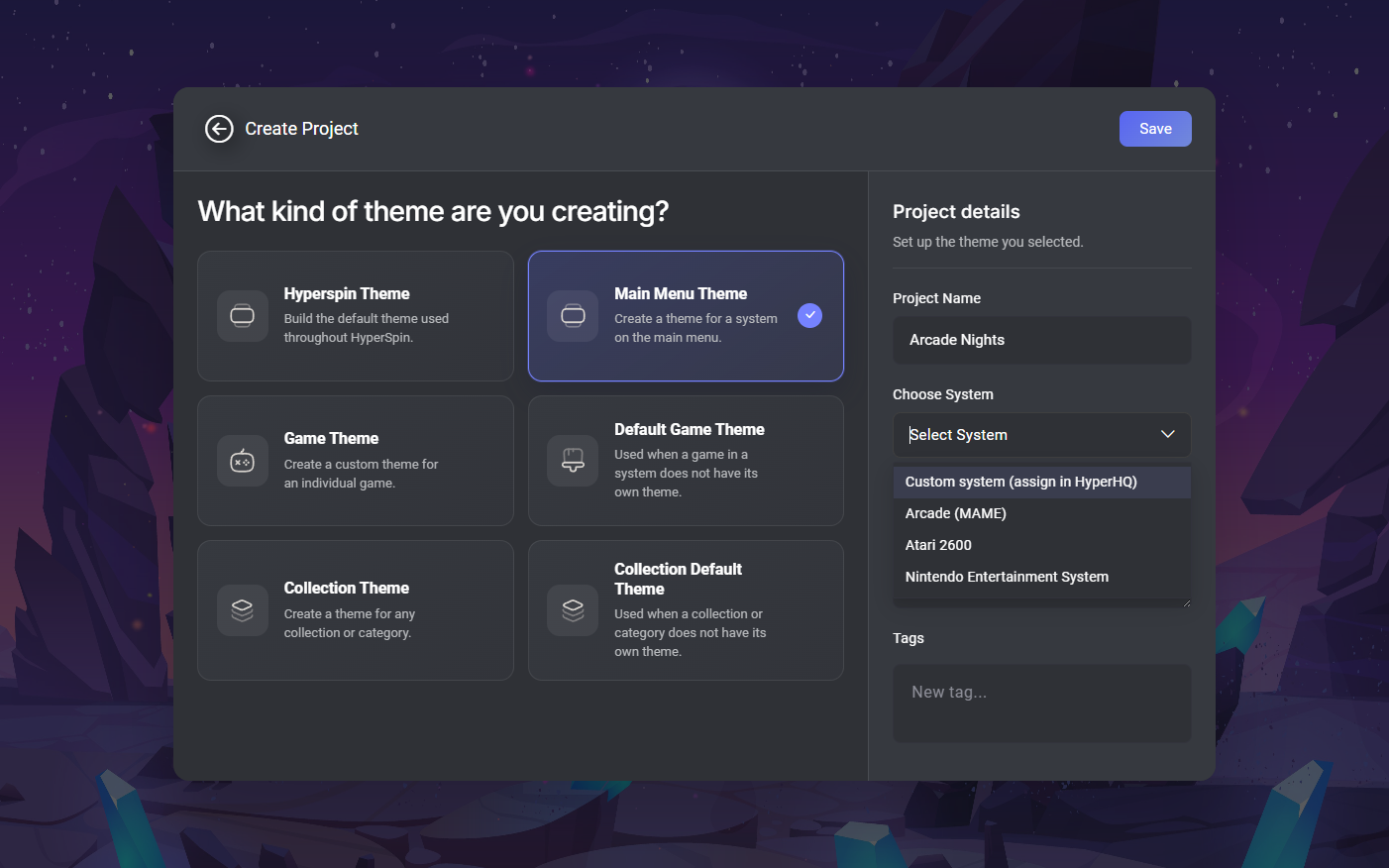
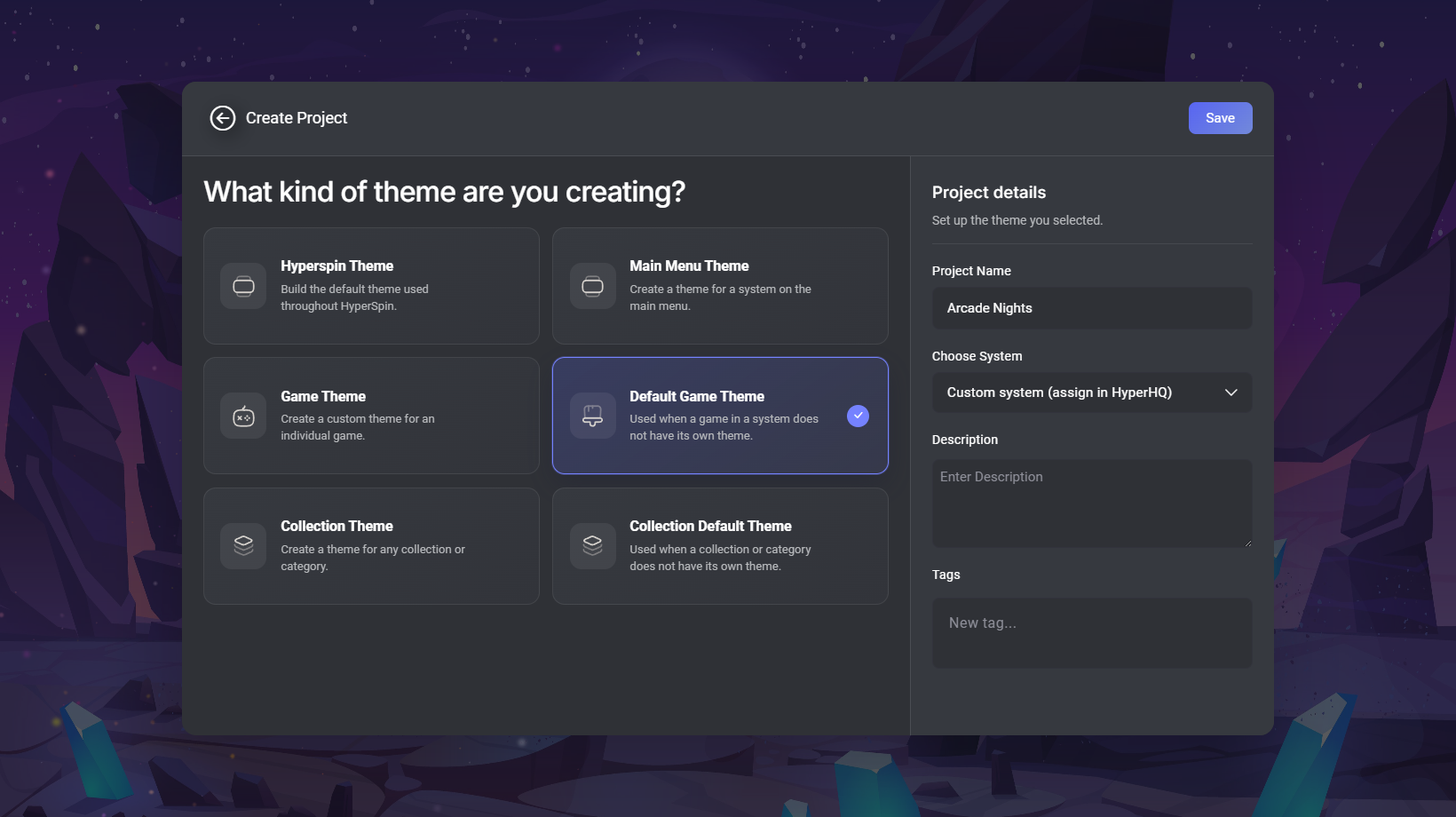
For an existing Main Menu Theme or Default Game Theme, open Edit project details and change Choose System to the same custom option. Publish again when you want cabinets to receive the change.
Preview and publish
- In the editor, open Preview Game and pick a catalog system and game to preview artwork and video. Your project keeps the custom system target.
- Save your work, then choose File > Publish. Follow the publishing steps.